
Video Wall Cost: 9 Factors That Shape Project Pricing
Video wall cost varies according to panel count, bezel width, screen size, controller, mounting, signal sources and site conditions. Explore the nine factors needed for an accurate quotation.
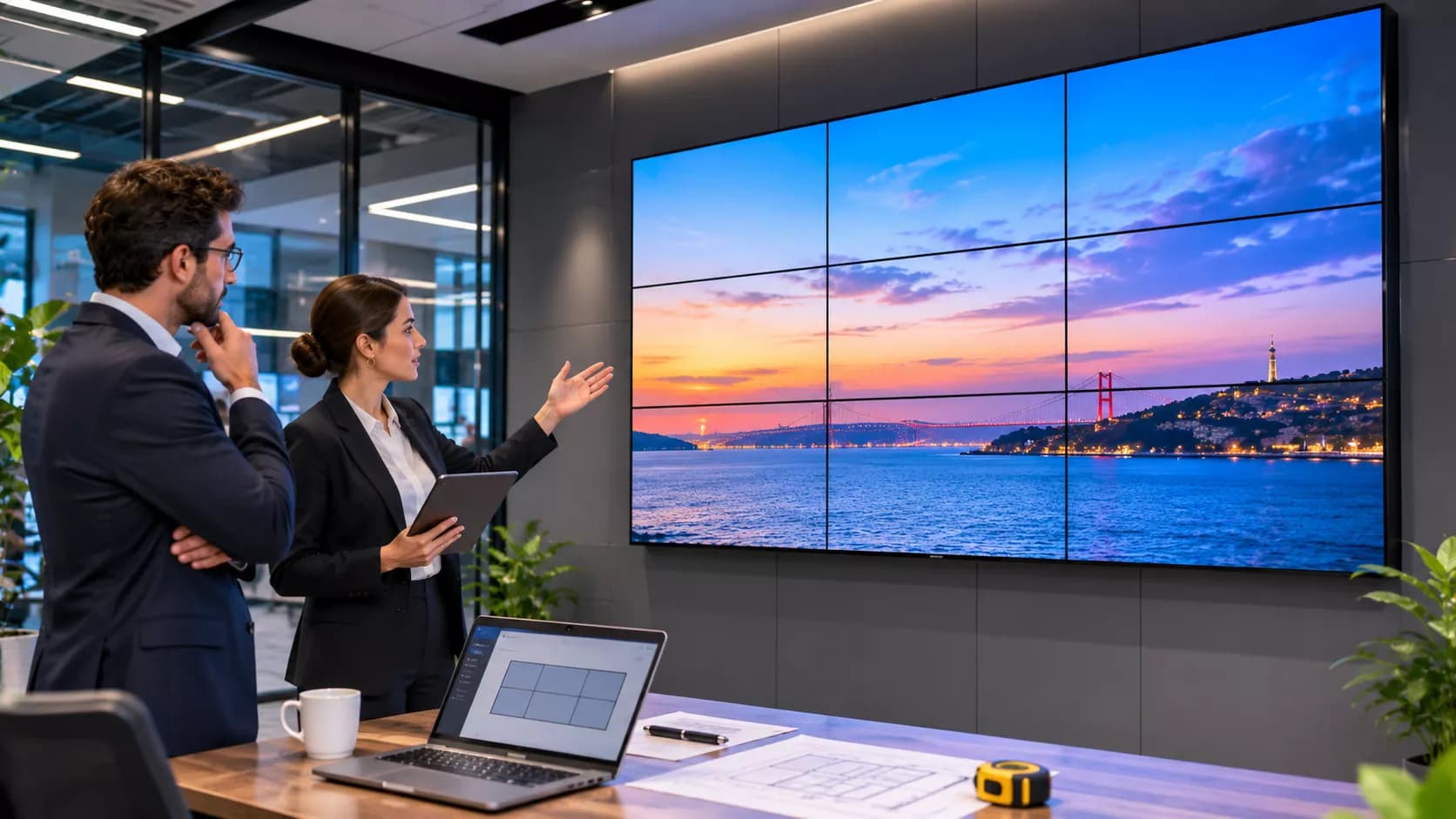
Video Wall Pricing: 9 Key Factors That Determine Project Costs
Professional display technologies are increasingly used in control rooms, security centers, corporate offices, shopping malls, showrooms, and meeting rooms. For businesses that require large visual display surfaces, video wall systems provide an effective and flexible solution by combining multiple professional displays into one large viewing area.
However, one of the most common questions organizations ask before investing in this technology is: How much does a video wall cost?
Video wall pricing depends on several factors, including the number of display panels, screen size, resolution, bezel width, controller specifications, mounting infrastructure, and technical support requirements.
For example, a four-screen video wall installed in a corporate meeting room has different technical requirements from a security operations center that continuously monitors multiple camera feeds and data sources.
Therefore, calculating video wall costs involves more than simply multiplying the number of screens by their individual prices.
Hardware, software, video processors, cabling, mounting structures, installation services, and long-term maintenance expenses must all be considered.
In this comprehensive guide, we explore 9 key factors that affect video wall pricing, compare LCD video walls with LED displays, explain how project costs are calculated, and highlight what businesses should prepare before requesting a quotation.
What Is a Video Wall?
A video wall is a large-scale display system created by arranging two or more professional screens in a matrix configuration.
These screens work together to present a single large image or display multiple independent content sources simultaneously.
For example, a security operations center can monitor numerous surveillance camera feeds across one video wall, while a corporate meeting room can display presentations, reports, and video conferencing content.
Video wall systems can be configured with different screen counts, resolutions, mounting arrangements, and control technologies depending on the intended application.
Where Are Video Wall Systems Used?
Professional video wall solutions are widely used across multiple industries.
- Security and Control Centers: Centralized monitoring of surveillance cameras and security systems
- Traffic Management Centers: Displaying road conditions, intersections, and transportation data
- Energy and Manufacturing Facilities: Monitoring operational data and performance indicators
- Corporate Meeting Rooms: Presentations, video conferencing, and business intelligence dashboards
- Shopping Malls: Advertising, promotional campaigns, and corporate communication
- Showrooms: Large-scale product demonstrations and brand presentations
- Hotels and Convention Centers: Event information, welcome displays, and digital signage
- Broadcasting and Production Studios: Monitoring multiple video sources from centralized systems
API Teknoloji Video Wall Solutions support the planning of professional display panels, control systems, and installation infrastructure for different business environments.
What Components Make Up a Video Wall System?
A professional video wall is more than a collection of screens installed next to each other.
Several hardware and software components must work together to create a reliable, scalable, and high-performance display infrastructure.
A typical video wall project may include the following components:
- Video Wall Display Panels: Professional screens that form the large display surface.
- Mounting Structure: Wall-mounted or freestanding systems designed to support and align the displays.
- Video Wall Controller: Hardware responsible for managing and distributing video signals across multiple displays.
- Video Sources: Computers, surveillance cameras, media players, and network-based video streams.
- Connectivity Infrastructure: HDMI, DisplayPort, network, or fiber-optic signal transmission.
- Control Software: Software used to manage image layouts, content sources, and display configurations.
- Electrical and Network Infrastructure: Power distribution and data connectivity required for operation.
- Installation and Calibration: Physical mounting, image alignment, system configuration, and commissioning.
- Technical Support: Maintenance, troubleshooting, and ongoing system support services.
Each component affects the overall video wall installation cost.
For this reason, businesses should evaluate the complete system rather than comparing display panel prices alone.
9 Key Factors That Affect Video Wall Pricing
1. Number of Display Panels and Matrix Configuration
One of the most significant factors affecting video wall pricing is the number of screens required.
Video wall displays are typically arranged in a matrix consisting of rows and columns.
Common video wall configurations include:
- 1×2 Video Wall: Two displays positioned side by side.
- 2×2 Video Wall: Four displays arranged in two rows and two columns.
- 3×3 Video Wall: Nine displays forming a larger viewing surface.
- 4×4 Video Wall: Sixteen displays used for larger-scale installations.
- Custom Video Wall Configurations: Specialized layouts designed for unique spaces and display requirements.
As the number of panels increases, hardware expenses rise. Additional screens may also require more complex mounting systems, cabling, controller capacity, and installation work.
For example, a 2×2 video wall may be suitable for a corporate meeting room, while a 3×3 or larger configuration may be required in a security control center.
However, using more screens does not automatically provide a better solution.
The most appropriate matrix configuration should be determined according to viewing distance, content requirements, wall dimensions, and the overall purpose of the installation.
2. Screen Size and Resolution
Video wall display pricing is also influenced by screen size and resolution.
Professional video wall panels are available in different dimensions and technical configurations.
Displays in the 55-inch class are commonly considered for various commercial video wall applications, although other sizes may be appropriate depending on project requirements.
When selecting display panels, businesses should evaluate:
- Display size
- Full HD or other supported resolutions
- Screen aspect ratio
- Viewing distance
- Required image detail
- Available installation space
- Controller and source device capabilities
For example, a 2×2 video wall using four Full HD displays can provide a physical pixel matrix of 3840 × 2160 pixels when arranged and configured appropriately.
However, having a combined pixel matrix equivalent to 4K UHD does not automatically mean that every connected source will be displayed at native 4K quality.
The video source, controller, connectivity infrastructure, and supported signal resolutions must also be considered.
This is particularly important in control rooms where detailed maps, technical drawings, camera feeds, and operational information may need to be displayed simultaneously.
Selecting the correct panel size and resolution helps businesses achieve suitable image quality without unnecessary hardware expenses.
3. Bezel Width and Screen-to-Screen Gap
One of the defining characteristics of LCD video wall systems is the visible border between individual display panels.
These borders can interrupt the continuity of images across the video wall surface.
For this reason, professional installations often use narrow bezel or ultra-narrow bezel video wall displays.
Reducing the gap between panels can create a more seamless viewing experience.
However, it is important to distinguish between the bezel width of an individual display and the combined bezel-to-bezel distance created when two panels are installed next to each other.
Advantages of Ultra-Narrow Bezel Video Walls
- Reduced visual interruptions between displays
- Improved visual continuity across the screen surface
- More effective presentation of large images
- Clearer monitoring of maps and surveillance feeds
- A professional appearance in corporate environments
Different professional display configurations can be evaluated through API Teknoloji Video Wall Systems.
Ultra-narrow bezel models may have different pricing structures depending on their panel technology and product category.
However, not every installation requires the smallest possible bezel.
For example, control rooms displaying detailed technical information may benefit from narrower bezels, while simpler information displays may allow more flexible budget considerations.
4. Display Brightness and 24/7 Operation
The environment in which a video wall operates has a direct impact on display selection.
Security centers, industrial control rooms, and monitoring facilities may require uninterrupted operation throughout the day.
For these applications, continuous operating capability, thermal management, and long-term image stability are important considerations.
Key features to evaluate for 24/7 video wall systems include:
- Continuous operation support
- Thermal management
- Display brightness
- Image stability
- Color and brightness consistency
- Energy consumption
- Manufacturer warranty conditions
- Maintenance requirements
Display brightness is typically measured in nits.
Bright shopping malls and showrooms may require higher brightness levels than control rooms with carefully managed ambient lighting.
However, choosing unnecessarily high brightness can increase both equipment costs and electricity consumption.
It is also important to understand that not all professional displays are designed for the same operating schedules.
For this reason, businesses should verify the manufacturer's specified operating conditions before selecting a video wall panel.
Choosing suitable brightness and operating specifications can help optimize long-term ownership costs.
5. Video Wall Controller and Image Processor
A video wall controller is one of the most important components of a professional multi-screen display system.
It manages how images from different sources are arranged and displayed across the video wall.
For a simple installation, the main requirement may be to distribute a single image across multiple screens.
However, a security operations center may need to display video feeds from multiple computers, surveillance cameras, and network sources simultaneously.
Such applications may require an advanced video wall processor.
What Should You Look for in a Video Wall Controller?
Important technical specifications include:
- Number of supported inputs and outputs
- Maximum supported source resolution
- Simultaneous content display capacity
- Multi-window functionality
- Image scaling capabilities
- Source switching
- Remote management
- Redundancy options
- Compatibility with cameras and computer systems
For example, a security center displaying 16 different camera feeds on one video wall may require a more capable controller than a meeting room showing a single presentation.
Therefore, video wall controller pricing depends on the required image processing capabilities and system architecture.
Before selecting a controller, businesses should clearly define the number of sources that will be displayed simultaneously and the required screen layouts.
6. Video Wall Mounting and Supporting Structure
Professional video wall installation requires precise alignment, structural safety, and appropriate maintenance access.
Multiple displays must be mounted accurately to maintain consistent spacing and visual alignment.
The physical characteristics of the installation environment directly influence the required mounting system.
Factors affecting video wall mounting costs include:
- Wall structure and load-bearing capacity
- Number and total weight of displays
- Wall-mounted brackets
- Steel supporting structures
- Freestanding mounting systems
- Service-access mounting mechanisms
- Cable management requirements
- Ventilation and maintenance clearance
- Installation height
For large installations, the supporting structure must be designed to safely accommodate the total weight of the display system.
Some locations may require additional steel structures or independent mounting frameworks when the existing wall is not suitable for direct installation.
Maintenance accessibility is another important consideration.
Front-service mounting systems can allow technicians to access individual panels without removing surrounding displays.
Although basic mounting solutions may appear less expensive initially, limited service access can increase future maintenance costs.
Therefore, mounting infrastructure should be planned with both installation requirements and long-term servicing in mind.
7. Cabling, Signal Transmission, and Electrical Infrastructure
Cabling and signal transmission infrastructure represent another important component of the total video wall cost.
In professional installations, video sources and controllers are not always located directly next to the display surface.
For example, a security center may place computers and video processors inside a separate technical equipment room.
In these situations, signal transmission technology must be selected according to the distance between the sources and the video wall.
Potential connectivity solutions include:
- HDMI connections
- DisplayPort connections
- Network-based video transmission
- Fiber-optic signal distribution
- Signal converters
- Video distribution equipment
- Electrical power infrastructure
- Backup connection systems
The appropriate technology depends on distance, resolution, bandwidth requirements, acceptable latency, and system architecture.
Standard display cables may be suitable for shorter connections, while longer transmission distances may require specialized solutions.
The capacity of the existing electrical and network infrastructure should also be evaluated.
Insufficient cabling, unsuitable signal transmission equipment, or inadequate power distribution may create additional expenses during installation.
A professional site assessment can help identify these requirements before the project begins.
8. Installation, Image Calibration, and Commissioning
Physically mounting video wall panels is only one part of completing a professional installation.
The displays must also be configured, calibrated, and tested to achieve consistent image performance.
This process is generally referred to as video wall calibration and commissioning.
Installation and commissioning activities may include:
- Physical panel alignment
- Video source configuration
- Controller setup
- Display matrix configuration
- Color and brightness adjustment
- Image scaling
- Signal and connectivity testing
- User training
- System acceptance testing
In multi-screen systems, differences in panel brightness or color temperature can affect the overall visual experience.
Calibration helps improve image consistency across the display surface.
Controller settings and source configurations must also be prepared according to the intended operating scenarios.
For large control rooms and critical facilities, commissioning activities may need to be scheduled in stages to avoid disrupting ongoing operations.
Businesses should therefore verify whether calibration, testing, and user training are included in the installation quotation.
9. Warranty, Maintenance, and Technical Support Costs
When evaluating video wall pricing, businesses should consider more than the initial equipment investment.
Long-term reliability is particularly important for systems operating in security centers, production facilities, and critical monitoring environments.
Warranty coverage, maintenance services, and technical support can significantly affect the total cost of ownership.
Typical video wall maintenance activities may include:
- Periodic system inspections
- Display and connection checks
- Panel cleaning
- Ventilation and temperature monitoring
- Brightness and color consistency checks
- Controller and software updates
- Remote technical support
- Troubleshooting and repairs
- Spare panel planning
For mission-critical installations, service response times should be clearly defined before purchasing the system.
Spare panel availability is another important factor.
Over time, certain display models may become unavailable or be replaced by newer generations.
Panels manufactured at different times may also exhibit differences in image characteristics.
For this reason, organizations operating critical video walls may benefit from planning spare equipment availability during the initial project design.
A structured maintenance strategy can help support operational continuity and reduce unexpected service expenses.
How Is Video Wall Pricing Calculated?
There is no universal price that applies to every video wall installation.
A corporate meeting room and a 24/7 security operations center may require completely different technical configurations.
However, the overall investment can be estimated by evaluating several cost categories.
Total Video Wall Project Cost = Display Panels + Controller + Mounting Structure + Cabling + Software + Installation + Calibration + Technical Services
Businesses should also consider ongoing operational expenses.
These may include:
- Electricity consumption
- Preventive maintenance
- Technical support
- Software updates
- Spare equipment
- Hardware replacement
Together, these expenses contribute to the Total Cost of Ownership (TCO).
Considering both initial and long-term costs helps organizations make more informed purchasing decisions.
2×2 Video Wall Pricing
A 2×2 video wall consists of four professional displays arranged in two rows and two columns.
This configuration may be suitable for corporate meeting rooms, showrooms, retail environments, and smaller monitoring areas.
The main cost factors include display specifications, mounting infrastructure, and controller requirements.
A system displaying one large image may require a different control solution from a system showing multiple independent sources.
3×3 Video Wall Pricing
A 3×3 video wall consists of nine professional display panels.
This configuration can be used in larger control rooms, security monitoring centers, and professional visualization environments.
As the number of displays increases, mounting complexity, cabling, and image processing requirements become more significant.
Therefore, 3×3 video wall pricing should be evaluated based on the complete technical infrastructure.
Large-Scale Video Wall Projects
Larger video wall configurations may require advanced image processing, extensive signal distribution, and specialized mounting structures.
In critical applications, redundant hardware and additional maintenance provisions may also be necessary.
A professional technical assessment is recommended to determine the appropriate equipment configuration and project budget.
LCD Video Wall vs. LED Wall: Which Is Better?
Businesses planning a large-format display investment often compare LCD video walls with direct-view LED displays.
Both technologies can create large viewing surfaces, but their technical characteristics and pricing structures are different.
LCD Video Wall Systems
LCD video wall solutions combine multiple professional LCD panels into a matrix arrangement.
They can be particularly suitable for indoor applications that require detailed imagery and controlled lighting conditions.
Advantages of LCD video walls include:
- High pixel density options
- Detailed images at relatively close viewing distances
- Flexible matrix configurations
- Professional display and control infrastructure
- Panel-level servicing and replacement options
However, LCD video walls may have visible lines between adjacent panels depending on bezel specifications.
LED Wall Systems
Direct-view LED displays use modular LED cabinets to form large visual surfaces.
These solutions are often considered for larger installations, high-brightness environments, and applications where LCD-style panel borders are undesirable.
Advantages of LED walls include:
- Modular and scalable display surfaces
- No LCD-style bezel lines between cabinets
- Multiple pixel pitch options
- Models designed for indoor and outdoor use
- High-brightness display options
- Flexible configurations for large installations
LED wall pricing depends on several variables, including display area, pixel pitch, cabinet specifications, control systems, and installation requirements.
LCD Video Wall vs. LED Wall Comparison
| Feature | LCD Video Wall | LED Wall |
|---|---|---|
| Display technology | Multiple LCD panels | Modular LED cabinets |
| Visible borders | Bezel lines may be visible | No LCD-style panel bezels |
| Close viewing | High pixel density options | Depends on pixel pitch |
| Brightness | Depends on display model | High-brightness options available |
| Typical applications | Control rooms, meetings, showrooms | Large indoor and outdoor displays |
| Cost factors | Panels, controller, mounting | Display area, pixel pitch, controller, mounting |
Both technologies offer valuable advantages depending on the application.
The final decision should consider viewing distance, content type, environmental conditions, operating hours, maintenance access, and budget.
For additional options, explore API Teknoloji LED Display Solutions.
You can also review professional display specifications through LG Business Video Wall Solutions.
How Can Businesses Reduce Video Wall Installation Costs?
Choosing the least expensive display panels does not always result in the most cost-effective video wall solution.
Instead, businesses should select hardware and system configurations based on their actual operational requirements.
Consider the following recommendations to optimize video wall costs:
- Define the purpose: Determine whether the system will display promotional content, presentations, surveillance feeds, or operational data.
- Choose the right matrix: Avoid purchasing more panels than necessary.
- Evaluate viewing distance: Select appropriate screen sizes and resolutions.
- Assess bezel requirements: Ultra-narrow bezel displays may not be essential for every application.
- Match controller capacity to actual needs: Identify the number of simultaneous video sources before purchasing.
- Review existing infrastructure: Determine whether current electrical, network, and video connections can be reused.
- Select appropriate mounting systems: Consider structural requirements and maintenance access.
- Compare warranty and service coverage: Evaluate long-term support alongside initial equipment costs.
- Request a professional site assessment: Confirm technical requirements before finalizing the investment.
This approach helps organizations avoid unnecessary expenses while improving long-term system performance and usability.
What Information Is Needed for a Video Wall Quote?
Preparing accurate project information helps solution providers recommend the appropriate video wall configuration.
Before requesting a video wall quotation, businesses should gather the following details:
- Intended application and installation environment
- Main purpose of the video wall
- Wall width and height
- Photos of the installation area
- Approximate viewing distance
- Desired display count or matrix configuration
- Number of simultaneous content sources
- Computer, camera, and network source requirements
- Daily operating hours
- Distance between the display wall and equipment room
- Existing electrical and network infrastructure
- Installation location
- Warranty and maintenance expectations
Businesses should also communicate any future expansion plans.
For example, if additional displays or video sources may be required later, the system architecture can be designed with scalability in mind.
This helps avoid solutions that meet current needs but require major changes during future expansion.
Why Is Professional Video Wall Project Planning Important?
The success of a video wall project depends on more than the quality of the display panels.
Correct hardware selection, controller configuration, mounting, signal distribution, and calibration are all essential.
Poorly planned installations may experience signal problems, incompatible resolutions, panel alignment issues, or maintenance difficulties.
A professional project development process generally includes:
- Defining the intended application
- Conducting a technical site assessment
- Selecting panels and matrix configuration
- Planning controllers and video sources
- Preparing mounting, power, and cabling infrastructure
- Installing and calibrating the displays
- Testing the system and training users
- Establishing maintenance and technical support procedures
Careful planning helps organizations create reliable and efficient video wall systems that meet their operational expectations.
Conclusion: How to Plan the Right Video Wall Investment
Video wall pricing depends on much more than the number or size of display panels.
Resolution, bezel width, brightness, controller capacity, mounting structures, cabling, installation, calibration, and technical support all contribute to the overall cost.
For this reason, organizations should evaluate both the initial investment and the long-term operating requirements of the system.
A properly designed video wall can improve information visibility, simplify monitoring across multiple sources, and support professional visual communication.
Whether the application involves a security center, control room, corporate meeting space, showroom, or commercial environment, selecting the appropriate hardware and system architecture is essential.
Working with an experienced professional display solution provider can help ensure that the installation meets technical requirements while supporting long-term operational efficiency.
Frequently Asked Questions About Video Wall Pricing
1. How much does a video wall cost?
Video wall pricing depends on the number of panels, display size, resolution, bezel width, controller specifications, and installation requirements. A 2×2 video wall and a 3×3 video wall have different hardware and infrastructure needs. A customized project quotation is the most reliable way to determine the total cost.
2. How many screens are used in a 2×2 video wall?
A 2×2 video wall consists of four professional displays arranged in two rows and two columns. This configuration is commonly considered for meeting rooms, showrooms, and smaller monitoring environments. The total display size and resolution depend on the selected panels.
3. Why does a 3×3 video wall cost more than a 2×2 system?
A 3×3 video wall contains nine display panels compared with four in a 2×2 configuration. The additional screens increase hardware requirements and may also require more complex mounting structures, cabling, controller capacity, and installation work.
4. What is the difference between an LCD video wall and an LED wall?
An LCD video wall consists of multiple professional LCD panels, while a direct-view LED wall is built from modular LED cabinets. LCD video walls may have visible bezel lines between panels, whereas LED walls do not have LCD-style panel borders. The appropriate technology depends on viewing distance, installation environment, image requirements, and budget.
5. Can video wall displays operate 24/7?
Yes. Professional video wall panels specifically designed for 24/7 operation can support continuous-use environments such as control rooms and security centers. However, not every commercial display is rated for uninterrupted operation, so manufacturer specifications should be verified.
6. What does a video wall controller do?
A video wall controller manages how video sources are displayed across multiple screens. Depending on its capabilities, it can distribute a single image across the wall, display multiple independent sources, resize content, and create customized window layouts.
7. How long does video wall installation take?
Installation time depends on the number of displays, mounting requirements, electrical and network infrastructure, controller setup, and calibration needs. Smaller systems and large control-room installations may require significantly different implementation schedules. A technical site assessment helps establish a realistic project plan.
8. Do video wall systems require regular maintenance?
Yes. Periodic maintenance is recommended for professional video wall systems. Typical activities include cleaning, connection inspections, ventilation checks, controller updates, and evaluation of display brightness and color consistency. Critical installations may also require predefined service response procedures.
9. Do video walls consume a lot of electricity?
Video wall power consumption depends on the number of panels, screen size, brightness settings, display technology, and daily operating hours. Larger systems generally consume more electricity. Choosing energy-efficient displays and appropriate brightness settings can help manage operating expenses.
10. How can I request a video wall price quote?
You can request a customized video wall quotation from API Teknoloji by providing your installation area dimensions, desired panel configuration, viewing distance, content sources, and daily operating requirements. Our team can evaluate the appropriate display panels, controller technology, mounting infrastructure, and installation scope for your project.
Bring Your Video Wall Project to Life with API Teknoloji
Are you planning a professional, reliable, and scalable video wall system for your business?
At API Teknoloji, we offer professional display solutions for control rooms, security centers, corporate meeting rooms, showrooms, hotels, and commercial environments.
With over 20 years of industry experience, we support businesses in planning video wall systems tailored to their technical requirements and operational needs.
From initial needs assessment and display selection to controller configuration, mounting, and system commissioning, our team helps organizations develop professional video wall infrastructures.
Contact our experts today to learn more about video wall pricing, discuss the right screen configuration for your space, or request a customized project quotation.
Sales & Project Consulting
Phone: 0850 308 0 274
Email: info@apiteknoloji.com.tr
Business Hours: Monday – Friday | 09:00 AM – 06:00 PM (Türkiye Time)
Explore Our Video Wall Solutions
API Teknoloji Video Wall Solutions
Request a Customized Video Wall Quote
Share your installation area dimensions, screen requirements, and video source specifications with our team.
We will help you evaluate a professional video wall configuration that meets your project's technical and operational requirements.