
How to Choose Digital Signage Software: 10 Essential Criteria
Evaluate central management, scheduling, offline playback, device monitoring, integrations, security and scalability together when choosing digital signage software.
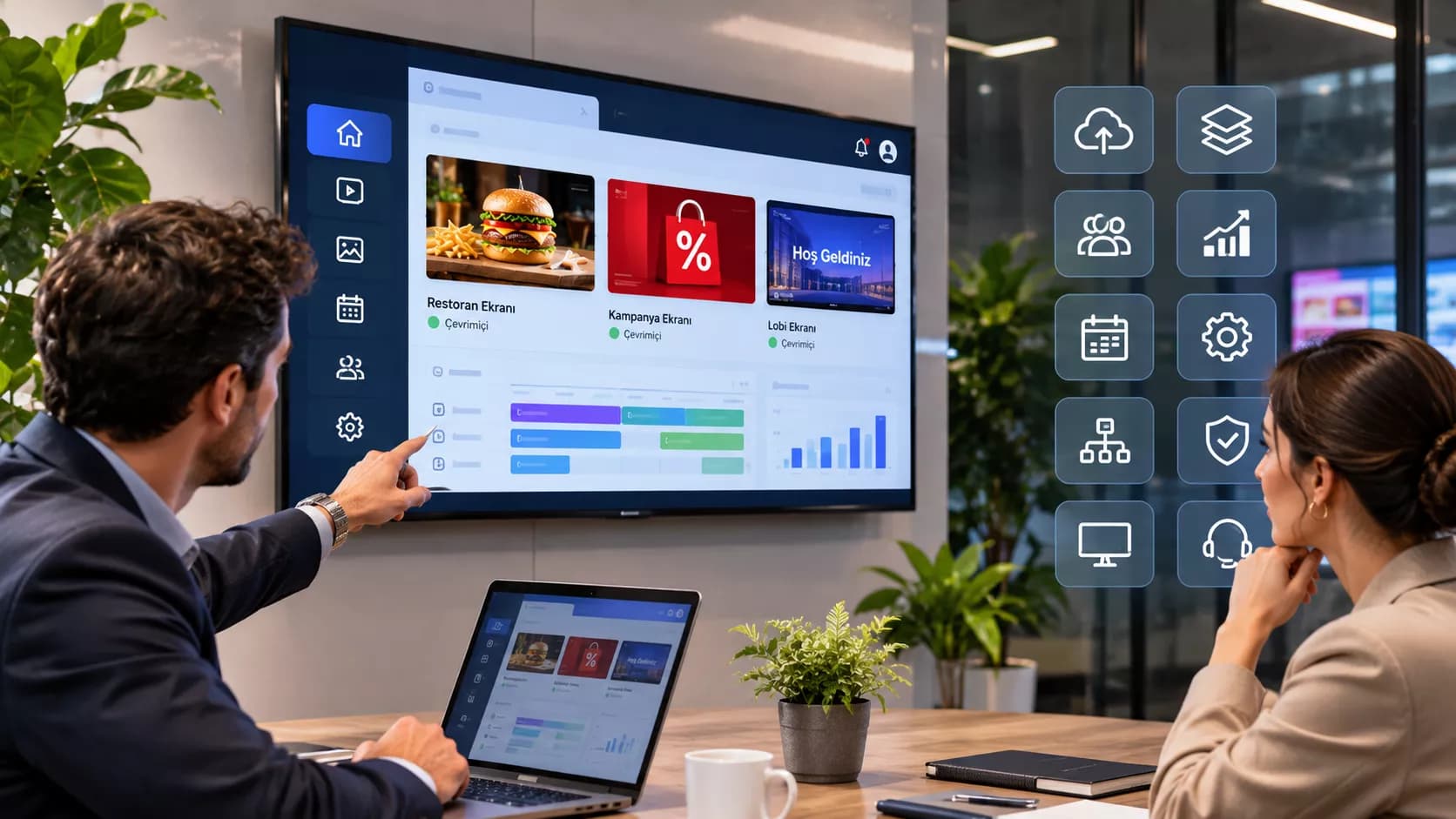
10 Essential Criteria for Choosing Digital Signage Software
Digital display technologies have become an essential part of business communication across various industries, from retail stores and restaurants to hotels, corporate offices, and manufacturing facilities. Businesses can now deliver promotional campaigns, product information, corporate announcements, and dynamic content to customers and employees through professional digital displays.
However, one of the most important components behind an effective digital signage system is the digital signage software responsible for managing content, controlling screens, and coordinating daily operations.
While display size, resolution, and media player specifications are important when planning a digital signage project, the software infrastructure largely determines how efficiently the entire system operates.
For businesses with multiple branches or locations, centralized screen management, remote content updates, automated scheduling, and device monitoring are particularly important.
Choosing the wrong digital signage platform can lead to delayed content updates, inconsistent messaging, increased operational costs, and difficulties managing devices across different locations.
So, how can businesses choose the best digital signage software for their needs? Which features should be prioritized before making an investment?
In this comprehensive guide, we explore 10 essential criteria for selecting digital signage software, explain the benefits of centralized content management, and highlight important considerations for building a scalable and reliable digital signage infrastructure.
What Is Digital Signage Software?
Digital signage software is a technology solution that enables businesses to create, schedule, distribute, and manage digital content displayed on electronic screens.
Also known as a Digital Signage Content Management System (CMS), this software allows organizations to control displays across multiple locations from a centralized management platform.
Businesses can remotely publish promotional visuals, videos, announcements, product information, and other dynamic content without manually updating individual screens.
For example, a retail chain can update promotional campaigns across stores in different cities simultaneously.
Similarly, a restaurant chain can automatically display breakfast menus in the morning and dinner promotions in the evening.
Professional digital signage management software goes beyond displaying images and videos. Depending on the platform, it may also support user permissions, device monitoring, reporting, system integrations, and remote administration.
Where Is Digital Signage Software Used?
Digital signage content management systems can be used across a wide range of industries, including:
- Retail stores: Promotional campaigns, product advertising, and pricing information
- Restaurants and cafés: Digital menu boards, pricing updates, and special offers
- Hotels: Welcome displays, event announcements, and wayfinding solutions
- Corporate offices: Internal communications, meeting information, and performance dashboards
- Hospitals: Patient information, queue management, and digital wayfinding
- Educational institutions: Class schedules, announcements, and campus information
- Manufacturing facilities: Production data, performance metrics, and workplace safety information
- Shopping malls: Advertising, promotional content, and digital information displays
Pood Digital Signage, offered by API Teknoloji, provides a professional solution for centralized screen management and digital content scheduling across different industries.
10 Essential Criteria for Choosing Digital Signage Software
1. Centralized Screen and Multi-Location Management
One of the first features to evaluate when choosing digital signage software is the ability to manage all screens from a single centralized platform.
For retail chains, restaurant groups, hotels, and businesses operating across multiple locations, updating each display individually can become time-consuming and inefficient.
A professional centralized screen management system should allow administrators to control displays across different branches, departments, and geographical locations.
Important features include:
- Managing multiple branches and locations
- Creating screen groups
- Assigning location-specific content
- Publishing content to multiple displays simultaneously
- Monitoring online and offline device status
- Scheduling content by location
- Centralized user and access management
For example, a retail company operating 50 stores may want to launch a new promotional campaign across all locations simultaneously.
With centralized digital signage management software, marketing teams can publish the campaign without requiring employees at each store to manually update their displays.
This approach can reduce operational workload while helping maintain consistent brand communication.
2. User-Friendly Interface and Content Creation Tools
Ease of use is another critical factor when selecting digital signage software.
Businesses should not need dedicated technical personnel every time they want to update a promotion, change a menu, or publish a new announcement.
A well-designed digital signage platform should provide an intuitive interface that employees can learn and operate efficiently.
Drag-and-drop content creation tools can be particularly valuable because they allow users without advanced design or technical skills to create screen layouts.
Important content management features include:
- Drag-and-drop content editor
- Ready-to-use display templates
- Image and video uploads
- Multi-zone screen layouts
- Landscape and portrait orientation support
- Content preview functionality
- Brand customization options
- Centralized media library
For example, a hotel may want to display a welcome message, event schedule, and weather information within different sections of the same screen.
A multi-zone content management system can make such layouts easier to create and manage.
The right software should simplify content production and help marketing and operations teams work more efficiently.
3. Automated Content Scheduling by Date, Time, and Location
One of the most valuable capabilities of a professional digital signage system is the ability to publish content automatically according to predefined schedules.
Manual content changes can create unnecessary workload and increase the risk of human error, especially for businesses with multiple branches.
For this reason, digital signage scheduling software should support flexible and reliable content planning.
Essential scheduling capabilities include:
- Date-based content scheduling
- Time-specific publishing
- Day-of-week scheduling
- Location-based content distribution
- Campaign start and end dates
- Recurring content schedules
For example, a restaurant can automatically switch from breakfast menus to lunch specials and evening promotions throughout the day.
Similarly, retail businesses can schedule weekend discounts or seasonal campaigns in advance.
Automated scheduling reduces the need for manual intervention and helps ensure that the correct content appears at the appropriate time.
For restaurant-specific digital display applications, explore our Digital Menu Board Solutions.
4. Offline Playback During Internet Outages
Cloud-based digital signage software provides significant advantages for centralized and remote content management.
However, a temporary internet outage should not necessarily interrupt content playback on every screen.
This makes offline digital signage functionality an important consideration when evaluating software solutions.
In compatible systems, digital content can be downloaded and stored locally on a media player or within a display's internal storage.
When the internet connection becomes unavailable, previously downloaded content may continue playing until connectivity is restored.
Before selecting a digital signage CMS, businesses should ask:
- Can content be stored locally on the device?
- Does playback continue during internet interruptions?
- Are new content files automatically synchronized when connectivity returns?
- Does the platform generate alerts when connections fail?
- Can scheduled content continue running offline?
For restaurants, shopping malls, hotels, and corporate communication displays, maintaining content availability can be important for customer experience and daily operations.
Offline capabilities should therefore be tested together with the selected software and media player hardware.
5. Device Monitoring, Remote Management, and Reporting
Successfully sending content to a media player does not necessarily mean that it is being displayed correctly.
Professional digital signage systems should provide administrators with visibility into device connectivity, playback status, and operational performance.
A reliable remote digital signage management platform should help technical teams monitor the condition of their devices.
Important monitoring capabilities may include:
- Online and offline device status
- Last connection timestamps
- Content playback status
- Error notifications and system alerts
- Storage and device resource monitoring
- Software version tracking
- Remote troubleshooting capabilities
- Playback and performance reports
The availability of these features may vary depending on the software platform and connected hardware.
For example, a company operating hundreds of digital displays across multiple cities should be able to identify devices that unexpectedly lose connectivity.
Centralized monitoring can help technical teams detect issues earlier, improve response times, and reduce unnecessary on-site maintenance visits.
Remote restart functionality, device screenshots, and detailed reporting may provide additional operational advantages where supported.
6. User Permissions and Content Approval Workflows
In larger organizations, digital signage platforms are rarely managed by a single employee.
Marketing departments, branch managers, operations teams, designers, and IT administrators may all require access to the system.
However, giving every user unrestricted access to all screens can create operational and security risks.
Professional digital signage software should support role-based access control (RBAC).
For example, different responsibilities may be assigned as follows:
- System Administrator: Manages devices, system configurations, and user permissions.
- Marketing Team: Creates and manages promotional content.
- Regional Manager: Controls displays within assigned locations.
- Branch Manager: Manages screens belonging to a specific branch.
- Content Approver: Reviews and approves content before publication.
Role-based permissions help prevent unauthorized changes and reduce the risk of publishing incorrect or inconsistent content.
For organizations with strict brand guidelines, content approval workflows can provide an additional level of control.
Activity logs and user action tracking should also be considered when selecting an enterprise digital signage platform.
7. API Integrations and Dynamic Data Management
Modern digital signage software does not have to be limited to static images and video playback.
With suitable integrations, digital displays can present dynamic information received from other business systems.
This allows organizations to transform digital signage screens into real-time information and communication channels.
For example, a restaurant may want to display product prices automatically retrieved from its point-of-sale system.
A manufacturing facility may want to publish production targets, daily performance metrics, or operational KPIs directly from internal databases.
As a result, digital signage API integration capabilities are important when evaluating enterprise solutions.
Potential integrations include:
- Point-of-sale (POS) systems
- Enterprise Resource Planning (ERP) platforms
- Customer Relationship Management (CRM) systems
- Inventory management software
- Business intelligence and reporting tools
- Meeting room reservation systems
- Corporate databases
- RSS feeds and external data sources
These integrations can reduce the need for manual content updates and improve information consistency.
However, technical requirements differ between systems.
API availability, authentication methods, security permissions, data formats, and integration complexity should all be evaluated before implementation.
Properly configured integrations allow digital signage to serve as more than an advertising channel. It can also support daily business operations and internal communication.
8. Hardware and Operating System Compatibility
Another important consideration is whether the selected digital signage software is compatible with existing screens and media players.
Some software platforms are designed to operate only with specific display manufacturers, operating systems, or media player models.
Although this can simplify certain deployments, it may also limit hardware flexibility when businesses expand or replace equipment.
Important compatibility requirements include:
- Supported operating systems
- Built-in display media player compatibility
- External media player support
- Supported display resolutions
- Landscape and portrait orientation
- Video and image format compatibility
- Reuse of existing hardware
- Support for future device expansion
For example, a retail chain may already operate displays from several manufacturers.
The business may prefer to introduce centralized digital signage management without replacing every screen.
A software solution that supports multiple compatible hardware platforms can help protect existing investments and improve flexibility.
However, compatibility with a particular operating system does not guarantee that every device will support the same functionality.
For this reason, businesses should conduct hardware compatibility tests before finalizing their software investment.
9. Data Security, Cloud Hosting, and Backup Infrastructure
Digital signage systems often include network-connected devices, user accounts, and centralized software infrastructure.
Therefore, data security should be a priority for organizations of all sizes.
A professional digital signage CMS should provide appropriate protection for user accounts, device communication, and content management processes.
Important security considerations include:
- Strong authentication mechanisms
- Role-based user permissions
- Encrypted data transmission
- User activity logs
- Secure device connections
- Regular software updates
- Data backup procedures
- Access restrictions
- Business continuity planning
Another important consideration is where the software infrastructure will be hosted.
Depending on company policies, businesses may prefer cloud-based deployment or an on-premise installation.
Cloud-Based Digital Signage Software
Cloud-based digital signage solutions allow administrators to access centralized management platforms over the internet.
This approach can simplify remote administration and make it easier to manage displays across geographically distributed locations.
Cloud solutions may also reduce the need for businesses to maintain certain infrastructure components internally.
On-Premise Digital Signage Software
On-premise digital signage systems are hosted on servers owned or controlled by the organization.
This approach may be suitable for companies with specific data governance, infrastructure management, or security requirements.
However, on-premise deployment also introduces responsibilities related to server maintenance, backups, updates, and system availability.
Both deployment models require proper configuration, secure access policies, and ongoing maintenance.
Organizations should evaluate security and hosting requirements based on their internal policies and operational needs.
For additional technical guidance, businesses can review the HKCERT IoT Security Guidelines for Digital Signage.
10. Software Licensing and Total Cost of Ownership
Digital signage software pricing is an important factor in the purchasing process.
However, focusing exclusively on monthly or annual subscription fees can lead to an incomplete understanding of the actual investment.
Professional digital signage systems may involve several additional costs beyond software licensing.
These can include:
- Software license fees
- Commercial displays and media players
- Installation and configuration
- Cloud hosting or server infrastructure
- Data storage and bandwidth
- API development and integrations
- Employee training
- Technical support
- Maintenance and software updates
Businesses should therefore evaluate the Total Cost of Ownership (TCO) rather than comparing license prices alone.
For example, a solution with a relatively low initial licensing cost may become more expensive as additional screens, locations, or advanced features are introduced.
Before selecting a digital signage platform, businesses should clarify:
- Is licensing calculated per screen or per device?
- Are monthly or annual subscriptions available?
- Are additional licenses required when new displays are added?
- Are technical support and updates included?
- What are the costs of cloud or on-premise deployment?
- How does pricing change as the system expands?
Choosing a scalable licensing model that supports current needs and future growth can help businesses manage their long-term digital signage investment more effectively.
Digital Signage Software Evaluation Checklist
Before purchasing digital signage software, businesses should evaluate more than marketing materials and feature descriptions.
Whenever possible, a live demonstration or pilot deployment should be conducted using realistic business scenarios.
Use these 10 questions when evaluating digital signage solutions:
- Can displays across multiple locations be managed from one centralized platform?
- Can employees create and publish content without advanced technical knowledge?
- Can content be scheduled by date, time, and location?
- Does the system support offline playback during internet outages?
- Can administrators monitor device connectivity and playback status?
- Are different user roles and permission levels available?
- Can the software integrate with existing POS, ERP, and corporate systems?
- Is the platform compatible with current screens and media players?
- Can the solution meet cloud or on-premise deployment requirements?
- Are licensing, technical support, and software update costs clearly defined?
Answering these questions allows organizations to compare digital signage platforms more objectively and identify solutions that match their operational requirements.
Pood Digital Signage: Centralized Screen and Content Management
Pood Digital Signage, offered by API Teknoloji, is a professional content and screen management solution designed to support centralized administration of digital displays across different locations.
The platform helps businesses organize content, schedule campaigns, manage displays remotely, and coordinate digital communication activities through a centralized management environment.
Key Features of Pood Digital Signage
Centralized Screen Management
Manage compatible digital displays across multiple branches, departments, and geographical locations from a central management panel.
Drag-and-Drop Content Creation
Create and organize digital content through a user-friendly interface designed to simplify everyday content management.
Automated Content Scheduling
Schedule promotions, announcements, and other content for specific dates and times.
Remote Content Updates
Update menu information, promotional visuals, and corporate announcements remotely through the centralized platform.
Multi-User Access Management
Assign appropriate access permissions to different employees and management teams.
API and Dynamic Data Integration
Support dynamic content scenarios through integrations with compatible enterprise systems and external data sources.
Monitoring and Reporting
Track display status and content management activities from a centralized system.
Hardware and Operating System Flexibility
Evaluate different hardware environments and compatible media player configurations according to project requirements.
Deployment Options
Cloud-based or organization-specific installation approaches can be evaluated according to the technical scope and security requirements of the project.
Who Can Benefit from Pood Digital Signage?
Pood Digital Signage can support businesses of different sizes that require centralized content management and remote display administration.
Potential applications include:
- Retail chains and multi-location stores
- Restaurants and café chains
- Hotels and hospitality facilities
- Corporate offices
- Educational institutions
- Hospitals and healthcare facilities
- Factories and manufacturing facilities
- Businesses operating across multiple locations
By centralizing screen management and content distribution, businesses can simplify their digital communication processes and improve operational control.
Discover more about the platform by visiting our Pood Digital Signage Solutions page.
Common Mistakes to Avoid When Choosing Digital Signage Software
Some problems encountered during digital signage deployments are caused by incorrect software selection decisions.
Understanding these mistakes can help businesses make more informed investments.
Choosing Software Based Only on Price
The lowest licensing fee does not always represent the best overall value.
Security, functionality, technical support, ease of use, and scalability should be considered alongside pricing.
Ignoring Existing Hardware Compatibility
Discovering that current screens or media players are not supported after purchasing software may result in additional equipment expenses.
Compatibility testing should therefore be completed before implementation.
Overlooking User Permissions
Giving too many employees unrestricted access to content and screen settings can increase the risk of unauthorized or incorrect publications.
Role-based access control helps establish a more secure management structure.
Failing to Plan for Future Growth
A business operating only a few displays today may expand to dozens of locations in the future.
Digital signage software should be selected with scalability in mind.
Skipping Demonstrations and Pilot Testing
Purchasing software without testing it under realistic operating conditions can create unexpected challenges during deployment.
A pilot implementation can help verify usability, hardware compatibility, scheduling functionality, and system performance before a larger rollout.
Conclusion: How to Choose the Best Digital Signage Software for Your Business
Choosing the right digital signage software is an important decision that can influence how efficiently a business manages its digital communication infrastructure.
A professional platform should do more than publish images and videos.
It should simplify content management, support centralized screen administration, automate publishing schedules, and integrate with compatible enterprise systems.
The most important evaluation criteria include centralized management, ease of use, automated scheduling, offline playback, device monitoring, user permissions, API integrations, hardware compatibility, data security, and total cost of ownership.
Businesses should also consider their future expansion plans.
A platform that supports today's display requirements but cannot accommodate future growth may create additional investment needs.
By selecting flexible, reliable, and scalable digital signage management software, organizations can establish a stronger foundation for long-term digital communication.
Frequently Asked Questions About Digital Signage Software
1. What is digital signage software, and how does it work?
Digital signage software is a platform that allows businesses to create, schedule, publish, and manage content displayed on digital screens. A centralized Content Management System (CMS) distributes content to compatible media players or displays, enabling remote updates, automated scheduling, and device management.
2. How do I choose the best digital signage software?
The best digital signage software depends on your business requirements. Important factors include centralized screen management, ease of use, content scheduling, hardware compatibility, security, API integrations, remote monitoring, technical support, and licensing costs. Testing the platform through a demonstration or pilot deployment is recommended.
3. How much does digital signage software cost?
Digital signage software pricing varies depending on the number of screens, licensing model, required features, hosting infrastructure, and technical support services. Some platforms use monthly or annual subscriptions, while enterprise solutions may offer customized licensing arrangements.
4. Can digital signage software work without an internet connection?
Some digital signage platforms support offline playback. In these systems, previously downloaded content can continue playing from local storage when internet connectivity is interrupted. However, remote updates and centralized management generally require an active network connection.
5. Can I manage multiple digital signage screens from one dashboard?
Yes. Centralized digital signage management software allows authorized users to control displays across multiple locations from a single platform. Administrators can create screen groups, schedule content, distribute promotions, and monitor devices remotely.
6. Can digital signage software run on regular televisions?
Some digital signage solutions can operate on compatible consumer televisions using built-in applications or external media players. However, professional commercial displays may be more appropriate for extended operating hours, remote management, and business-oriented applications. Device compatibility should always be verified.
7. What is the difference between cloud-based and on-premise digital signage software?
Cloud-based digital signage software is managed through internet-accessible infrastructure, while on-premise systems are deployed on servers controlled by the organization. The right approach depends on security policies, technical resources, infrastructure requirements, and operational preferences.
8. Can digital signage software integrate with POS and ERP systems?
Yes. Digital signage platforms with suitable integration capabilities can connect to POS, ERP, CRM, inventory management, and other enterprise systems. These integrations may allow product prices, stock information, performance metrics, and other dynamic data to appear automatically on digital displays.
9. Can digital signage content be scheduled automatically?
Yes. Content scheduling features allow businesses to publish images, videos, announcements, and promotional campaigns according to specific dates, times, days, or locations. This functionality is particularly valuable for restaurant menus, retail promotions, and corporate communications.
10. How can I request a Pood Digital Signage demo or quotation?
You can contact API Teknoloji to request a Pood Digital Signage demonstration or a customized project quotation. Providing details about your screen count, business locations, existing hardware, and content management requirements helps the team evaluate the most suitable solution and licensing options.
Transform Your Digital Signage Management with API Teknoloji
Looking for a reliable, scalable, and professional digital signage software solution for your business?
At API Teknoloji, we help organizations simplify screen management, streamline content operations, and strengthen their digital communication infrastructure.
With our Pood Digital Signage solution, you can manage compatible displays from a centralized platform, schedule content remotely, and coordinate your digital signage operations more efficiently.
Whether you operate a single location or manage a network of screens across multiple branches, our team can help you evaluate the appropriate software, hardware, and licensing structure for your project.
Contact API Teknoloji today to discuss your digital signage requirements, request a product demo, or receive a customized project quotation.
Contact Our Sales & Project Consulting Team
Phone: 0850 308 0 274
Email: info@apiteknoloji.com.tr
Business Hours: Monday – Friday | 09:00 AM – 06:00 PM (Türkiye Time)
Explore Our Solutions:
Ready to improve your digital signage operations?